




































































































































































































STANDARD EMI STARTS AT ₹ 9,533 PER MONTH

Close
You have no items in your shopping cart.

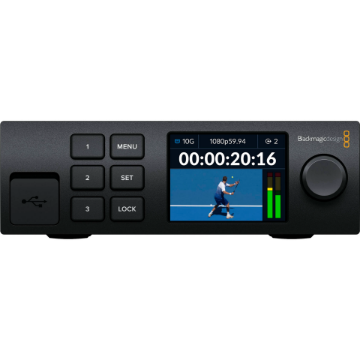
Blackmagic Design HyperDeck Extreme Control

+ -

Blackmagic Design HyperDeck Extreme Control


Blackmagic Design HyperDeck Extreme Control

Blackmagic Design HyperDeck Extreme Control

See More from Brand: BlackMagic Design
4 New Offers Available. Tap to View.
Contact us for any questions.

Offer Price: ₹ 1,68,161 (Pay using IMPS/NEFT mode at Checkout)

Tag your order on Instagram & get a ₹300 Zomato Money Voucher

Make an unboxing video on YouTube & get a ₹1000 Zomato Money Voucher

Buy Now Pay Later using ICICI PayLater, HDFC FlexiPay, Zest Money

Try our Gear Rentals. Earn ₹500 Store Credit for your first Rental

Incl. taxes & GST invoice for input credit
₹ 1,71,593
₹ 1,88,564
    This Item Earns 1716 Cashback Points
    4 New Offers Available. Tap to View.
    Contact us for any questions.

    Offer Price: ₹ 1,68,161 (Pay using IMPS/NEFT mode at Checkout)

    Tag your order on Instagram & get a ₹300 Zomato Money Voucher

    Make an unboxing video on YouTube & get a ₹1000 Zomato Money Voucher

    Buy Now Pay Later using ICICI PayLater, HDFC FlexiPay, Zest Money

    Try our Gear Rentals. Earn ₹500 Store Credit for your first Rental

    Availability: IN STOCK
    + -

    Blackmagic Design HyperDeck Extreme Control

    Standard Deck Controls for up to 8 Decks | 8 x RS-422 Ports | Supports Legacy Decks and HyperDeck 8K | 3 RU, Half-Rack Width Installation | Built-In Editor for Deck-to-Deck Editing | Flexible In and Out Point Entry
      easy return policy at imastudent   Easy
      Return
      fastest delivery at imastudent   Fast
      Delivery
      payment protection   Payment
      Protection
      Check For Delivery
      new product logo image
      BRAND NEW ITEM
      invoice image
      Our GST Invoice
      1 year warranty logo image
      1 YEAR WARRANTY
      AfterSales Support

      • Introducing Product Rentals. Now rent your favourite gear from us.
      • Save money by renting before buying expensive gear.
      • Visit RENTALS.IMASTUDENT.COM to start renting your first gear.
      • Not all products can be rented but we can try to rent every product you ask for. So don't hesitate to contact us if you want to rent a special product.

      • Most orders ship same day or next unless specifically mentioned.
      • Questions regarding the shipment, call us toll-free at 1800-258-3138
      • Our Phone support is can be busy. Contact us using chat or e-mail
      • We offer 1 or 2 day shipping available for 30+ cities

      • We offer 7-day return & replacement policy on all physical products.
      • Manufacturer warranty can be availed post 7 days.
      • We offer easy no-hassle return pickup options.
      • We Only Sell Brand Authorized Products. So, We Take 100% Original Guarantee of Our Products.

      • Found it cheaper elsewhere? We offer Price Match Policy with most online retailers.
      • Contact us to do price matching with additional discounts.
      • Price Match cannot be offered during Sales Events or Special Seller Offers.

      Question & Answer
      Don't see the answer you're looking for?
      4 New Offers Available. Tap to View.
      Contact us for any questions.

      Offer Price: ₹ 1,68,161 (Pay using IMPS/NEFT mode at Checkout)

      Tag your order on Instagram & get a ₹300 Zomato Money Voucher

      Make an unboxing video on YouTube & get a ₹1000 Zomato Money Voucher

      Buy Now Pay Later using ICICI PayLater, HDFC FlexiPay, Zest Money

      Try our Gear Rentals. Earn ₹500 Store Credit for your first Rental

      + -

      Blackmagic Design HyperDeck Extreme Control

      Blackmagic Design HYPERD/RSTEXCTR Overview

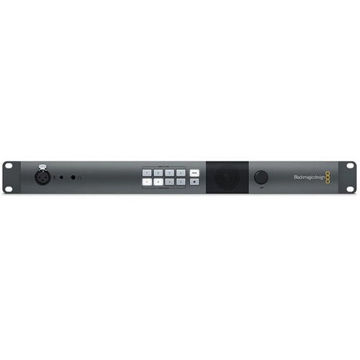
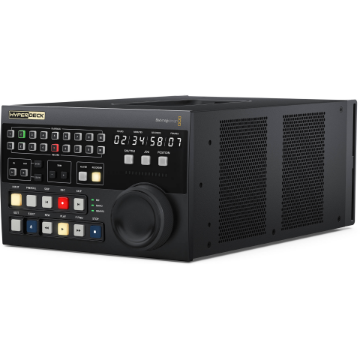
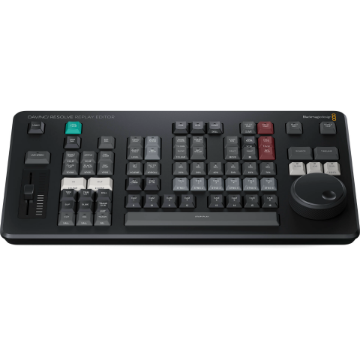
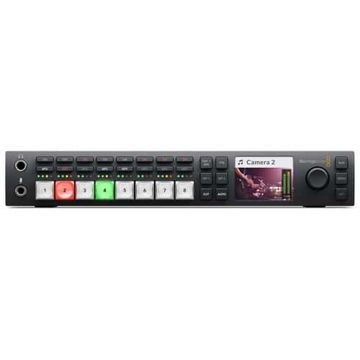
      The HyperDeck Extreme Control from Blackmagic Design is a 3 RU, half-rack width installation offering traditional deck controls for virtually any type of deck thanks to RS-422 connectivity. Eight RS-422 ports allow you to control up to eight decks, including legacy decks and the HyperDeck Extreme 8K HDR.

      Controls include transport, timecode, and deck status buttons plus a large search dial for jog, shuttle, and positioning control. There is a row of eight recorder selection buttons and another row of eight player selection buttons. To protect videotape masters, recording requires pressing both the "REC" and "PLAY" buttons simultaneously. The HyperDeck Extreme Control also features a built-in editor for automating the ingest of legacy videotape-based programming.

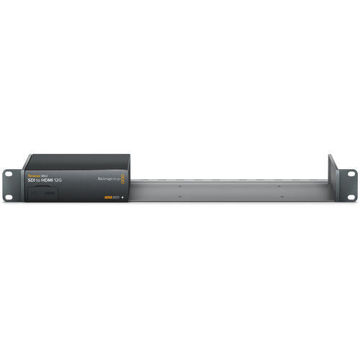
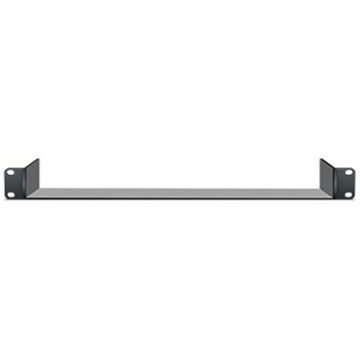
      Two HyperDeck Extreme Control units, or one unit plus one HyperDeck Extreme 8K HDR, can be installed in a rack or console using the optional HyperDeck Extreme Rack Kit.
      Automate Editing between Tape and HyperDeck
      The built-in editor allows deck-to-deck editing. Operating the same way as traditional decks, the HyperDeck Extreme Control can control legacy decks and the HyperDeck Extreme 8K HDR from the same front panel. To edit old videotape simply press the "PLAYER" button, enter in and out points on the tape, select the recorder, and press "EDIT". The HyperDeck Extreme Control will now cue and play the broadcast deck while recording on the HyperDeck.
      Traditional and Elegant Transport Controls
      You get familiar transport controls such as "PLAY" which, when pressed during a recording, will cause the recording to stop and the deck to continue to play from the same point. To start a recording, press both the "REC" and "PLAY" buttons simultaneously.
      Premium Search Dial for Jog and Shuttle
      The high-quality search dial features both jog and shuttle control and has an electronic clutch that stops the knob at the end of the shuttle travel or allows for free spinning when in jog. HyperDeck Extreme Control replaces varispeed with a position function that allows rapid movement up and down the recording. The search dial uses twin bearings so you can free spin it for fast jog.
      Full Timecode Display and Deck Status
      Full deck status is provided on a large timecode display. This display indicates the timecode of the current selected deck, and the timecode source switch will control what's displayed on the time counter. The horizontal light bar indicator allows the user to see the position of the search dial and provide a visual feedback, which is important when working with remote decks. The servo indicator light will show when the deck is in play or record mode and the servo system is correctly locked. Because remote decks will still display the time counter and transport state, the remote indicator will let you know if the deck is in remote. There's even external video reference status.
      Flexible In and Out Point Entry for Editing
      For editing, you need to enter an in and out point for the remote deck. Simply select the "IN" or "OUT" button and the "ENTRY" button simultaneously to enter the points. To display each edit point on the time counter display, simply press the "IN" or "OUT" button only and the time the point will be shown. While the entry button is used for entering the in or out point data, you can also clear the in and out points by pressing the "IN" or "OUT" button while pressing "DELETE". To trim edit points, you can press the "TRIM" + or - button while pressing the "IN" or "OUT" button, and you will advance or delay the edit point by one frame at each press.
      Pre-Roll Edits to Cue Decks
      A pre-roll button is provided for cueing decks. When this button is pressed, the tape machine will run to the pre-roll point, which is generally five seconds before the in point. If you are using an older broadcast deck, it could take a few minutes for the deck to get to the cue point as the machine has to spool the tape. If the "PREROLL" button is pressed simultaneously with the "IN" or "OUT" button, then the deck will cue to the specific in or out point.
      Perform the Edit Automatically
      Once you have your in and out points set, you can perform the edit automatically by pressing the "EDIT" button. If this button is pressed before setting the in point, the current tape position will be automatically entered as the in point, and then the editing will be performed. This means you can select the "EDIT" button and it will set the in point and then perform the edit all in one step.

      More From Same Category

      Blackmagic Design URSA Cine EVF

      ₹ 2,51,277 ₹ 2,04,505

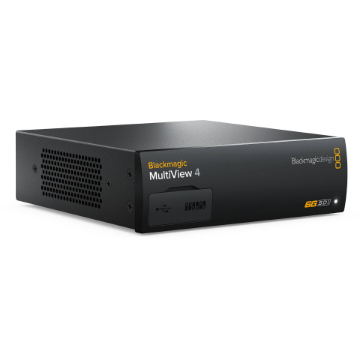
      Blackmagic Design MultiView 4

      ₹ 77,856 ₹ 70,849

      Blackmagic Design Studio Converter

      ₹ 1,21,304 ₹ 1,10,387
      Customers who bought this item also bought

      Blackmagic Design HyperDeck Extreme Control

      Standard Deck Controls for up to 8 Decks | 8 x RS-422 Ports | Supports Legacy Decks and HyperDeck 8K | 3 RU, Half-Rack Width Installation | Built-In Editor for Deck-to-Deck Editing | Flexible In and Out Point Entry
      ₹ 1,71,593 ₹ 1,88,564
      incl. of GST invoice for input credit

      Blackmagic Design ATEM Mini Extreme

      8-Channel HDMI Live Streaming Switcher | Supports up to 1080p60 | RTMP Streaming via Ethernet or USB-C | Record Program Out
      ₹ 1,25,420 ₹ 1,37,824
      incl. of GST invoice for input credit

      Blackmagic Design Teranex Mini IP Video 12G

      Advanced High-Data Rate Signal Converter | TICO Encoder / Decoder | Supports up to 4K DCI 4096x2160p Signals | Two Independent 12G-SDI 10-Bit Outputs
      ₹ 66,554 ₹ 73,136
      incl. of GST invoice for input credit