




























































































































STANDARD EMI STARTS AT ₹ 19,078 PER MONTH

Close
You have no items in your shopping cart.

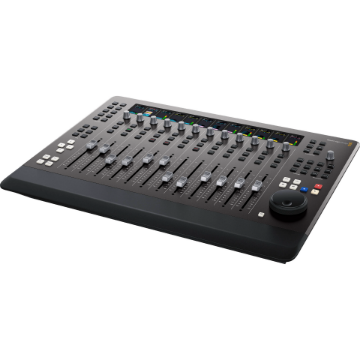
Blackmagic Design Fairlight Desktop Console USB Control Surface

+ -

Blackmagic Design Fairlight Desktop Console USB Control Surface


Blackmagic Design Fairlight Desktop Console USB Control Surface

Blackmagic Design Fairlight Desktop Console USB Control Surface

See More from Brand: BlackMagic Design
4 New Offers Available. Tap to View.
Contact us for any questions.

Offer Price: ₹ 3,36,533 (Pay using IMPS/NEFT mode at Checkout)

Tag your order on Instagram & get a ₹300 Zomato Money Voucher

Make an unboxing video on YouTube & get a ₹1000 Zomato Money Voucher

Buy Now Pay Later using ICICI PayLater, HDFC FlexiPay, Zest Money

Try our Gear Rentals. Earn ₹500 Store Credit for your first Rental

Incl. taxes & GST invoice for input credit
₹ 3,43,401
₹ 3,77,364
    This Item Earns 3434 Cashback Points
    4 New Offers Available. Tap to View.
    Contact us for any questions.

    Offer Price: ₹ 3,36,533 (Pay using IMPS/NEFT mode at Checkout)

    Tag your order on Instagram & get a ₹300 Zomato Money Voucher

    Make an unboxing video on YouTube & get a ₹1000 Zomato Money Voucher

    Buy Now Pay Later using ICICI PayLater, HDFC FlexiPay, Zest Money

    Try our Gear Rentals. Earn ₹500 Store Credit for your first Rental

    Availability: IN STOCK
    + -

    Blackmagic Design Fairlight Desktop Console USB Control Surface

    12 Touch-Sensitive Motorized Faders | 12 Assignable Multifunction Pan Knobs | 12 Informative High-Resolution LCDs | Solo and Mute Buttons per Channel Strip | Logical Navigation & Transport Controls | Task-Based Controls
      easy return policy at imastudent   Easy
      Return
      fastest delivery at imastudent   Fast
      Delivery
      payment protection   Payment
      Protection
      Check For Delivery
      new product logo image
      BRAND NEW ITEM
      invoice image
      Our GST Invoice
      1 year warranty logo image
      1 YEAR WARRANTY
      AfterSales Support

      • Introducing Product Rentals. Now rent your favourite gear from us.
      • Save money by renting before buying expensive gear.
      • Visit RENTALS.IMASTUDENT.COM to start renting your first gear.
      • Not all products can be rented but we can try to rent every product you ask for. So don't hesitate to contact us if you want to rent a special product.

      • Most orders ship same day or next unless specifically mentioned.
      • Questions regarding the shipment, call us toll-free at 1800-258-3138
      • Our Phone support is can be busy. Contact us using chat or e-mail
      • We offer 1 or 2 day shipping available for 30+ cities

      • We offer 7-day return & replacement policy on all physical products.
      • Manufacturer warranty can be availed post 7 days.
      • We offer easy no-hassle return pickup options.
      • We Only Sell Brand Authorized Products. So, We Take 100% Original Guarantee of Our Products.

      • Found it cheaper elsewhere? We offer Price Match Policy with most online retailers.
      • Contact us to do price matching with additional discounts.
      • Price Match cannot be offered during Sales Events or Special Seller Offers.

      Question & Answer
      Don't see the answer you're looking for?
      4 New Offers Available. Tap to View.
      Contact us for any questions.

      Offer Price: ₹ 3,36,533 (Pay using IMPS/NEFT mode at Checkout)

      Tag your order on Instagram & get a ₹300 Zomato Money Voucher

      Make an unboxing video on YouTube & get a ₹1000 Zomato Money Voucher

      Buy Now Pay Later using ICICI PayLater, HDFC FlexiPay, Zest Money

      Try our Gear Rentals. Earn ₹500 Store Credit for your first Rental

      + -

      Blackmagic Design Fairlight Desktop Console USB Control Surface

      Blackmagic Design DV/RESF/EDTAUSMIN Overview

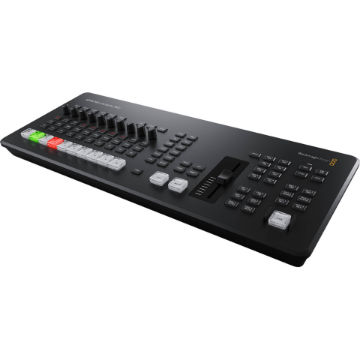
      With its compact form and pro-level features, the Blackmagic Design Fairlight Desktop Console offers independent mixers and small postproduction studios a space-saving, purpose-built USB control surface for maximizing workflow efficiency with DaVinci Resolve's Fairlight page.

      The Fairlight Desktop Console provides 12 powerful channel strips, each with a touch-sensitive, motorized 100mm fader, an assignable multifunction pan knob (also touch-sensitive), a high-resolution color LCD screen, solo and mute buttons, and a multifunction select button. Use them as traditional per-channel console controls or switch to Focus mode to utilize the knobs and select buttons of all channels to adjust the parameters or plug-ins of a single track.

      With logical navigation and transport controls and a high-quality search dial, you can move around your project with ease, speed, and ergonomic comfort, whether you're recording automation or zooming in on a specific location. The Fairlight Desktop Console also functions as a flexible monitor controller with dedicated buttons for source selection, speaker dim and mute, switching between headphones and speakers, and talkback control.

      The Fairlight Desktop Console connects to your computer via a USB Type-C connection (cable included) and boasts an HDMI output for visually monitoring all console activity.

      Compact and Professional
      The Fairlight Desktop Console uses the same high-quality faders as the full-size modular consoles. The sculpted faders are smooth and provide the perfect amount of resistance for making subtle adjustments. The precision-engineered encoder knobs ensure a long life of noiseless operation, and the console buttons are rated at a million presses.

      Individual LCDs display track information for each channel. The high-quality search dial is extremely responsive and is much faster than a mouse. The soft front-panel bumper makes long sessions more comfortable, the console can be installed flush in a custom desk, and there's even a built-in power supply, which means no power brick. A USB Type-C port provides easy connectivity with your computer system.

      Channel Strips
      The Fairlight Desktop Console features 12 channel strips that can be used in a variety of ways for mixing audio. Each channel strip has a motorized fader for adjusting levels, a series of buttons for solo, mute, and other parameters, a multifunction pan knob, and an LCD that shows you information about the channel or track on which you are working.

      Channel strips can be used to control an individual track and any strip can be assigned to any track in the project. You can also use a single strip to control multiple tracks in a group, or you can use the channel strips to control buses. This gives you the speed and flexibility you need for total control over your recording and mixing sessions.

      Channel Status Displays
      There are independent high-resolution LCD screens located above each of the 12 fader strips. These displays include track name, number, and color, along with panning status, channel level meters, automation state, bus routing, and more.
      Multifunction Pan Knob
      The multifunction pan knob can be used for panning or can be assigned to control other Fairlight parameters. Hold Control and tap to reset, or hold Shift for refined control. As it's a rotary encoder, it won't introduce signal noise like worn mechanical knobs.
      Channel-Strip Controls
      Each of the 12 fader channel strips has its own dedicated solo and mute buttons for quickly isolating or temporarily turning tracks off. Multifunction select buttons can be used to load track parameters and activate automation and plug-in controls.
      Motorized Faders
      12 belt-driven 100mm motorized faders offer precision volume control for adjusting levels. The bank control buttons let you switch between fader sets to control different channels. Faders can even be assigned to adjust send and record levels.
      Navigation and Transport Controls
      When you're working on a tight deadline and have a large project with a lot of tracks, you don't want to waste time scrolling through the timeline or hunting for a clip. The Fairlight Desktop Console helps you work faster because it includes transport buttons and a high-quality jog/shuttle wheel.

      You'll be able to quickly move around the timeline and navigate clips, scrub, start or stop playback, or jump to a new position with incredible speed. The controls are logically grouped, allowing you to keep your hand in one position while navigating the timeline from end to end, or anywhere in between, in seconds. The search dial can also be used for timeline zooming, clip levels, and more.

      Task-Based Controls
      Control function selector buttons let you assign the buttons and knobs on the panel for different purposes. You can quickly select between master and channel controls, panning, plug-in control, EQ, dynamics, and more. By default, the console works in strip mode, giving you one channel strip per track. Focus mode lets you assign all of the select buttons and knobs on the console to work on the parameters or plug-ins for a single track. That means you can adjust the EQ, dynamics, or any other plug-in parameter for a track using all of the select buttons and knobs on the console. For example, you can adjust multiple frequency ranges in the EQ at the same time, which is impossible to do with a mouse.
      Recording Automation
      Fairlight's powerful automation lets you record parameter changes you make over time. For example, you can record level changes as you move the faders on the console. Fader adjustments are saved and can be edited later. Fairlight lets you automate anything from simple level changes to complex plug-in, EQ, and dynamics changes. That means you can use the console to create and save live adjustments.

      The faders and knobs are touch-sensitive, activated the moment you touch them, so you don't have to move them for the console to know you want to work on that parameter. Six automation buttons enable and disable automation, set recording method, and set which automation curves appear in the timeline tracks.

      Monitoring Controls
      The Fairlight page has incredibly flexible monitoring, so you can preview your sound from a variety of different speaker sets. You can listen and switch between everything from headphones, nearfield or main stereo monitors, all the way up to immersive 3D surround systems.

      The monitoring controls on the Fairlight Desktop Console let you quickly switch between sources, control both your studio and booth levels, or even control talkback if you have a Fairlight Audio Interface installed with your computer. You also get a level knob along with buttons for dimming and muting your speakers, allowing you to instantly cut or reduce the sound, so you can have a conversation in your studio or suite.
      External HDMI Monitoring
      For direct visual feedback, you can add an HDMI display to the Fairlight Desktop Console. This allows you to see an extensive graphical display of everything happening on the console. You'll be able to see channel strip information, levels, equalization, dynamics processing, plug-in interfaces, and more. That means you don't have to open pop-up windows on top of your timeline.

      For example, when you adjust EQ settings, its interface will be displayed on the screen as you turn the knob. The screen automatically switches to show you buses, in-line channel-strip controls, or single-channel controls when in focus mode. There's no configuration needed, simply plug in an HDMI monitor and start working.
      More From Same Category

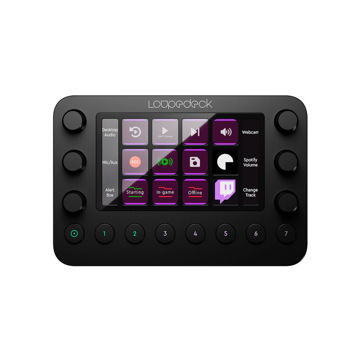
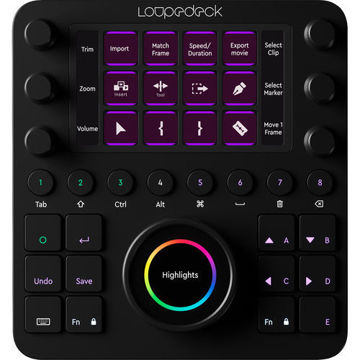
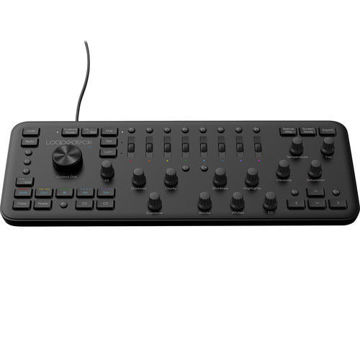
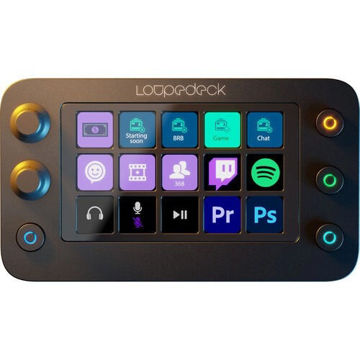
      Loupedeck Creative Tool

      ₹ 47,990 ₹ 45,590

      Loupedeck Live S

      Pricing N/A Yet

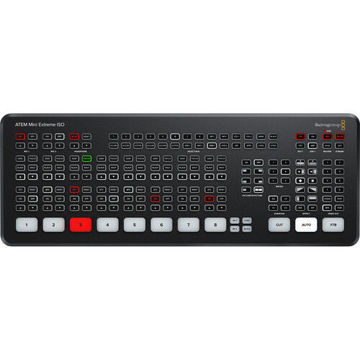
      Blackmagic Design ATEM Mini Extreme

      ₹ 1,37,824 ₹ 1,25,420

      Blackmagic Design UpDownCross 100G

      ₹ 3,01,844 ₹ 2,74,678
      Customers who bought this item also bought

      Blackmagic Design Fairlight Desktop Console USB Control Surface

      12 Touch-Sensitive Motorized Faders | 12 Assignable Multifunction Pan Knobs | 12 Informative High-Resolution LCDs | Solo and Mute Buttons per Channel Strip | Logical Navigation & Transport Controls | Task-Based Controls
      ₹ 3,43,401 ₹ 3,77,364
      incl. of GST invoice for input credit
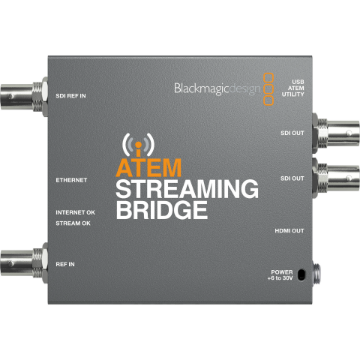
      Blackmagic Design ATEM Streaming Bridge for ATEM Mini Pro Streaming Switchers

      For Any ATEM Mini Pro Streaming Switcher | HDMI and SDI Outputs | Up to 1080p60 Resolution Output | Direct, Network, and Internet Connection | IP Addressable, Software Controllable
      ₹ 30,045 ₹ 33,016
      incl. of GST invoice for input credit

      Blackmagic Design PYXIS Pro Grip

      Ergonomic Side Grip for PYXIS 6K or 12K | Integrated Zoom Rocker and Hand Strap | Conveniently Placed Record/Stop Button | Ideal for Broadcast Applications | Improved Comfort During Handheld Setups
      ₹ 15,011 ₹ 16,496
      incl. of GST invoice for input credit